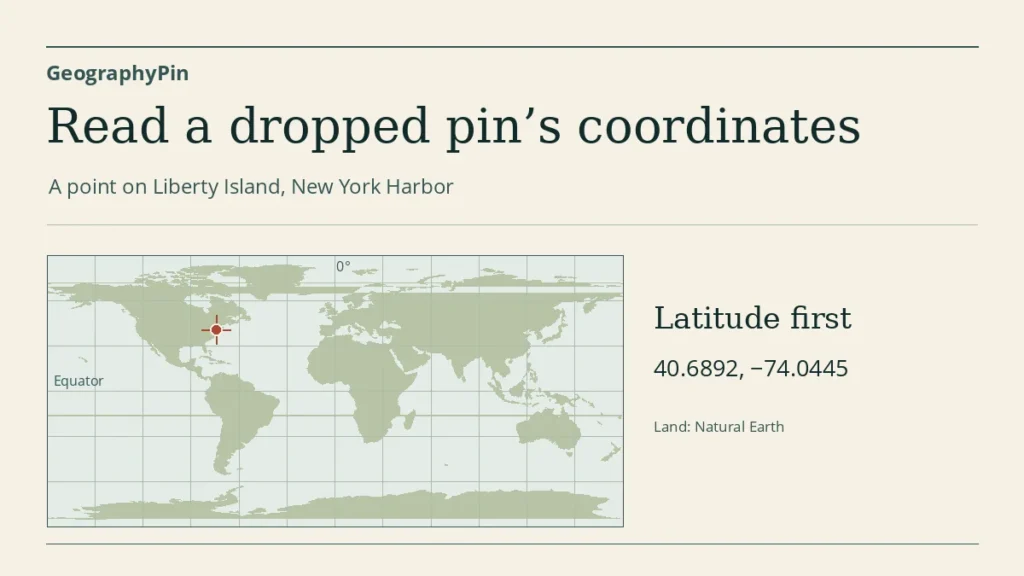
Two people looking at the same park can copy different coordinates if one taps the place label and the other drops a pin at the entrance. Pick the point first, then copy its numbers.
To find coordinates on Google Maps, right-click a point on a computer or press and hold an unlabeled spot in the mobile app. Google Maps displays the selected point’s latitude first and longitude second. On Android, check the search box. On iPhone or iPad, open the dropped pin’s place sheet.
Find GPS coordinates on a computer, Android or iPhone
| Device | Select the point | Read or copy |
|---|---|---|
| Computer | Right-click the exact point on the map. | The first item in the menu shows two numbers. Click that pair to copy it. |
| Android | Touch and hold an unlabeled spot until a red pin appears. | Look in the search box for the coordinate pair. |
| iPhone or iPad | Touch and hold an unlabeled spot to drop a pin. | Open the place sheet for the dropped pin and look for its coordinates. |
Drop a pin on an unlabeled spot
If tapping opens a business listing, zoom in and press an unlabeled part of the map at the point you want. Use the coordinates of that pin when you need a particular gate or corner. The address of a business can lead to a different position.
Check the latitude and longitude of your dropped pin
Paste 40.6892, -74.0445 into the Google Maps search box as a practice check. It should place a pin on Liberty Island in New York Harbor. The first number is north latitude. The minus sign on the second number places the longitude west of Greenwich.
Check the Liberty Island example
Repeat the check with your own pair. Paste it into a new search and compare the resulting pin with the location you intended. If both numbers are smaller than 90 in magnitude, swapping them can produce a valid-looking pair and a completely different place.
Use the right format for the next app
For decimal degrees, use a period inside each number and a comma between the two coordinates. Google Maps also accepts degrees and decimal minutes, or degrees, minutes and seconds with hemisphere indicators. The coordinate converter can put a copied pair into the notation your destination asks for.
Use longitude first for GeoJSON
A GeoJSON Point reverses the order used by the Google Maps search box. The Liberty Island example becomes {"type":"Point","coordinates":[-74.0445,40.6892]}. Read more about latitude and longitude order.
A dropped pin and a device location answer different questions
A dropped pin identifies a place you selected. You can look up a point on another continent this way. A device location instead estimates where the device is now. Sharing a pin at your planned meeting place may be more helpful than sharing the position of your phone while you are still traveling. If you actually need the position of this device, use What Are My Coordinates? and check its accuracy estimate.
Frequently Asked Questions
Does sharing a Google Maps link always give me two numbers?
A share link may open the place directly without displaying a reusable coordinate pair. Open the linked map, select the intended point, and read its latitude and longitude.
Why did searching for the pair put the pin in the wrong place?
Start with the order, minus signs and punctuation. Use latitude first and longitude second, use decimal points, and retain the west or south sign. Then check the location at a close zoom level.
What Did We Learn Today?
Drop the pin where you intend someone to go, read the pair from the correct part of the interface for your device, and search it again to check the location. When passing the result into another application, confirm its expected coordinate order.
Sources & Data Notes
View sources and data notes
Device-specific steps follow Google Maps Help. The featured illustration is an original explanation of coordinate order and uses generalized public-domain Natural Earth land outlines. It does not reproduce the Google Maps interface.